Link a pump.fun wallet
Put one line in your pump.fun bio, then bury that wallet's losses from your own wallet.

We will never ask for your key or seed phrase.
Buy $RUGS only through the link on this site.
How it goes
In pump.fun
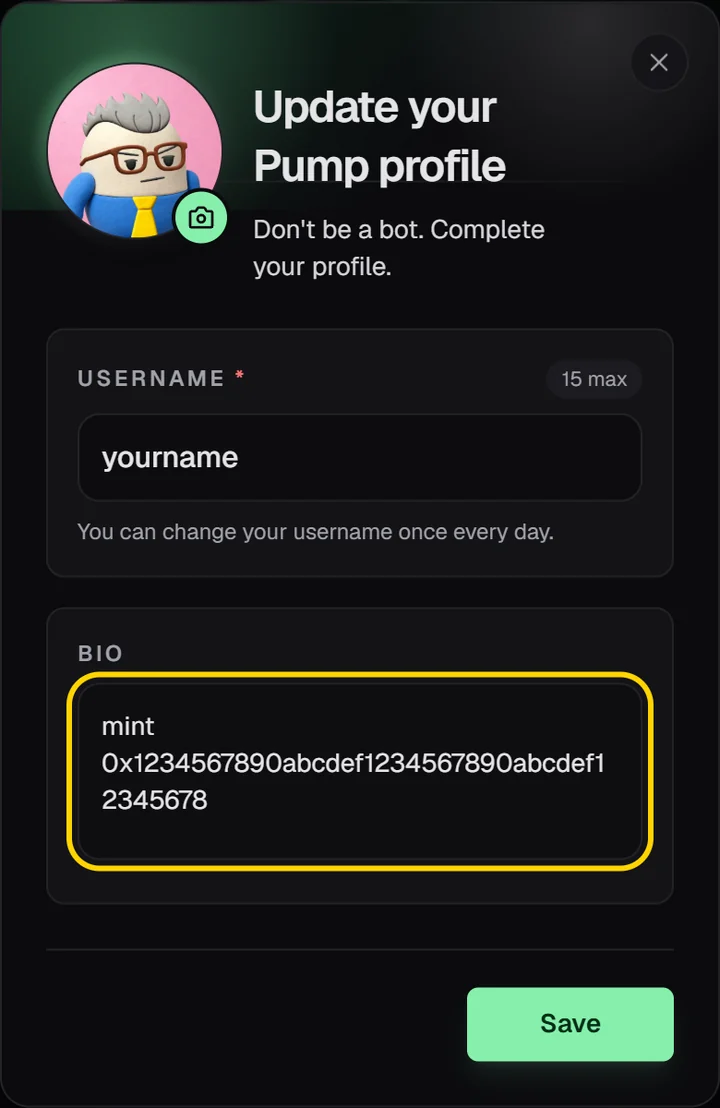
Put one line in your profile bio and save it.
This site
Paste your pump.fun address, press Check, then Link. Wait 2 minutes.
Then
Its losses join your own wallet's list. Bury them with your shovel; any prize lands on your wallet.
What you need
A wallet you can connect here, and your pump.fun profile.
Steps
- This site
Connect your own wallet on this site and open your account. The pump.fun wallet's losses move to it.
- In pump.fun
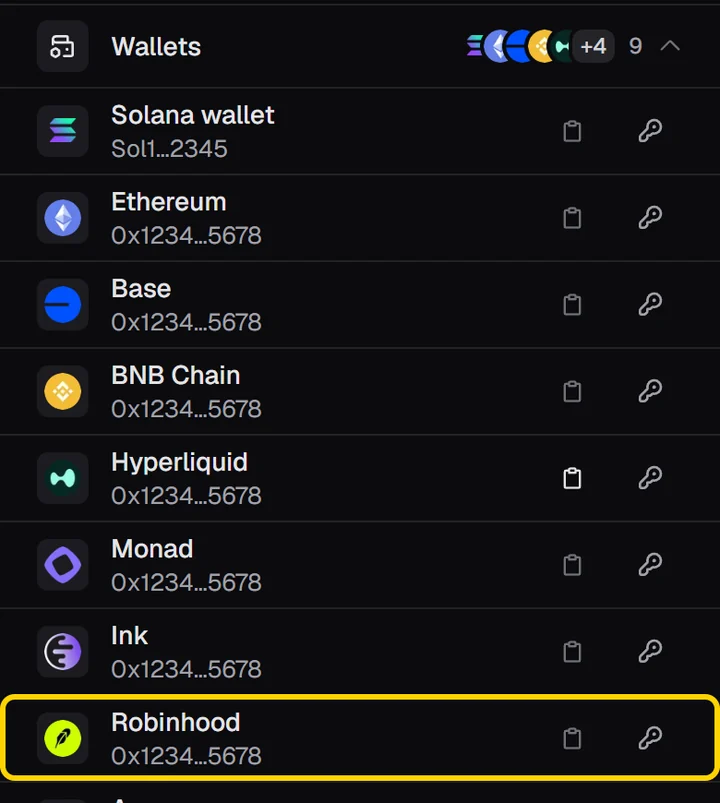
Open Wallets and copy the Robinhood address. It starts with 0x.
- This site
In your account, open pump.fun and paste it.
- In pump.fun
Edit your profile, put the line your account shows in the bio and save: mint followed by your wallet address.
- This site
Back in your account, press Check. It takes seconds.
- This site
Press Link, confirm in your wallet and wait 2 minutes. Then you can delete the line.
What happens next
- The losses of your pump.fun wallet show up in your wallet's list, marked with the pump.fun wallet.
- Your shovel buries them in Play. Any prize lands on your wallet.
- One app wallet per wallet, for good: there is no unlink. The pair is public on Robinhood Chain.
If something goes wrong
- A Solana address was pasted. Use the address that starts with 0x.
- The bio names another wallet than the one connected here.
- The line was deleted before the page said Linked.
- Press Check again: the page keeps checking for a while after each press.
- The profile was not saved. Open it and make sure the line is in the bio.
If we can't read pump.fun, the page offers another way: send a drop of ETH from your pump.fun wallet to your wallet. The link finishes once pump.fun answers again, if that happens within 24 hours.